


The JournalTaxes
Simplify Your Taxes with Our Income Tax Calculator - Prodezk
By Andres Platts · December 12, 2025 · 15 min read
Quick answer
Effortlessly simplify your tax season with Prodezk's income tax calculator. Maximize deductions and minimize stress to file confidently this year!


How to Use an Income Tax Calculator to Estimate Your US Business Taxes
An income tax calculator turns your projected revenue and allowable expenses into a realistic estimate of federal and state tax owed. This guide explains how those calculators work, which types suit different business entities, and how to use results to plan cash flow and estimated quarterly payments. Many small-business owners and international founders find it hard to translate gross receipts into after-tax cash, a clear estimator closes that gap by showing taxable income, federal tax, state tax, effective rate, and suggested quarterly installments. We’ll cover how calculators compute results, the key inputs for freelancers and corporations, entity-specific effects, special considerations for foreign owners, corporate planning use cases, and how estimated-tax tools help avoid IRS penalties. Along the way you’ll find comparison tables, checklists you can act on, and practical examples to turn calculator outputs into filing and cash-management decisions.
1. What Is an Income Tax Calculator and How Does It Work?
An income tax calculator applies tax rules to your revenue and expenses to produce an estimated tax bill, federal and state, and recommended quarterly payments. The basic flow is: start with gross revenue, subtract deductible business expenses to arrive at adjusted gross income (AGI), apply any standard or itemized adjustments to calculate taxable income, then use tax brackets, credits, and state rates to estimate the final liability. Most calculators also show an effective tax rate and a suggested payment schedule to support cash planning. Understanding that flow explains why accurate inputs, for example, depreciation method and owner payroll, matter for realistic results.
What Types of Income Tax Calculators Are Available for US Businesses?
US business tax calculators come in several flavors to match business structure and compliance needs. Some focus on federal tax only, applying current federal brackets to taxable income. Others add state modules that handle flat or graduated rates and apportionment rules. You’ll also find entity-comparison tools that contrast pass-through treatment (LLC, S corp) with corporate taxation (C corp), and estimated-quarterly calculators that convert annual projections into four payment amounts. Specialized tools cover self-employment tax, payroll withholding estimates, and scenario testing for entity elections or tax credits. Pick the type that matches your need: a quick federal check, a multi-state apportionment, or a decision tool for S corp payroll versus distributions.
How Does the Income Tax Calculator Estimate Federal and State Taxes?
Most calculators produce estimates by applying statutory rates and rules to taxable income while accounting for deductions, credits, and entity-specific adjustments. First they calculate taxable income from revenue minus business expenses and adjustments, then they apply federal brackets or corporate rates and subtract credits to arrive at federal liability. For state tax, the calculator applies the state’s rate structure or estimates an effective state rate using apportionment rules for multi-state activity. Common assumptions include use of the standard deduction or typical depreciation schedules. If your situation includes large R&D credits, unusual depreciation, or multi-state nexus, results will differ, and you may want expert review. Knowing the assumptions behind an estimate helps you interpret outputs and spot items that need deeper analysis.
Increase your profits and optimize your taxation in the United States.
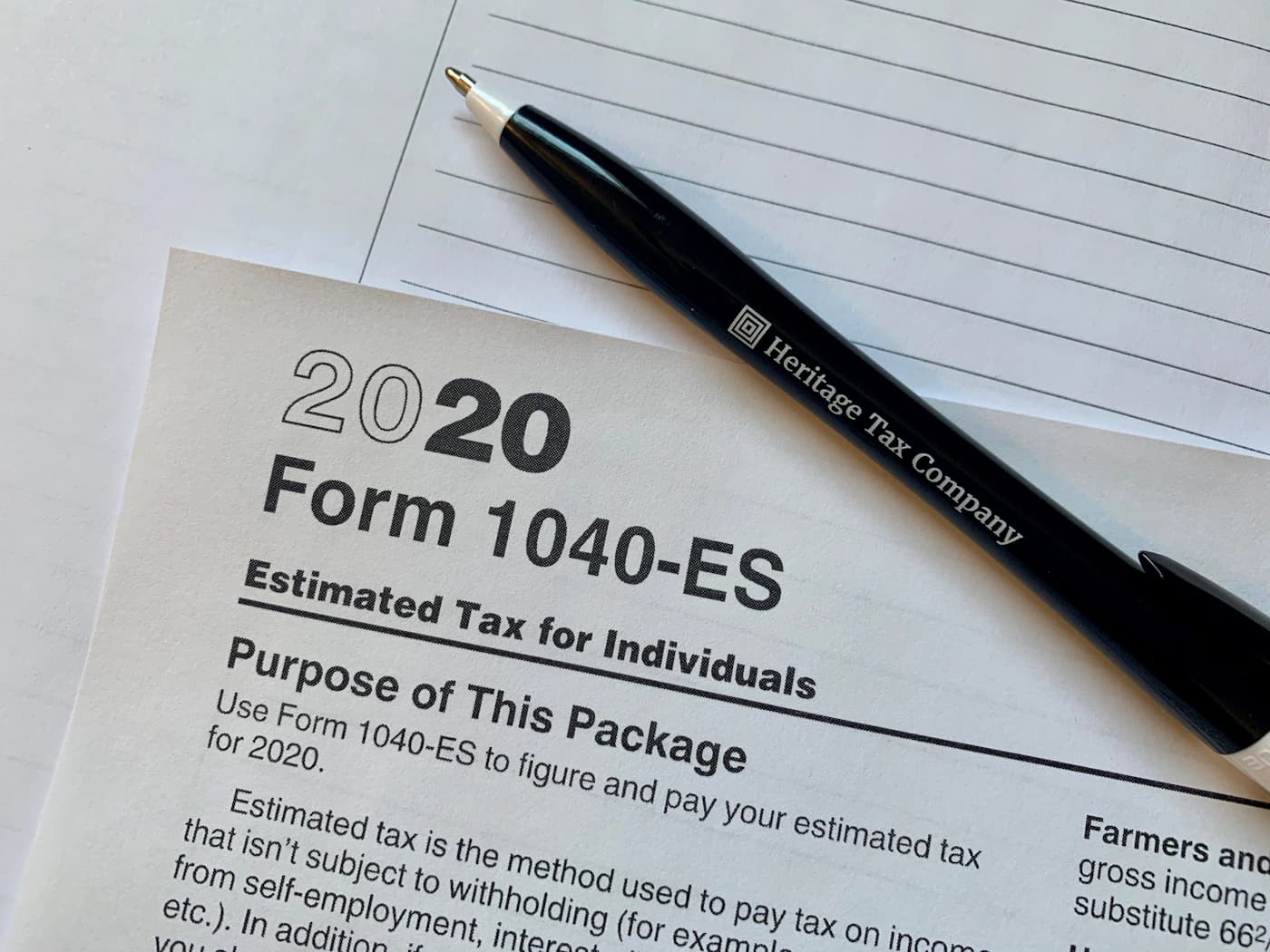
2. How Can Small Businesses and Entrepreneurs Use a Federal Income Tax Calculator?
A federal income tax calculator helps small businesses plan cash flow, set aside money for taxes, and evaluate how entity choices and owner compensation affect tax outcomes. Use it in budgeting to forecast taxable income and tax owed, then convert that liability into quarterly payment recommendations and payroll planning. The tool is especially useful for self-employed professionals and microbusinesses to estimate self-employment tax and avoid underpayment penalties. If results differ widely from expectations, that usually signals missing inputs (like overlooked deductions) or opportunities, for example, electing S corporation status, to improve after-tax cash flow. You can find more information on this by visiting income tax calculator USA .
What Are the Key Inputs for a Small Business Income Tax Calculator?
Accurate inputs turn a guess into a usable plan. Essential fields include total revenue or gross receipts, categorized deductible expenses (COGS, rent, utilities, payroll), owner compensation (salary versus distributions), capital purchases and chosen depreciation method, and entity type for tax treatment. For seasonal businesses, adding projected revenue by month improves quarterly accuracy. The calculator uses these details to compute AGI, taxable income, and tax owed; realistic expense categorization and payroll assumptions make the suggested quarterly payments far more reliable.
Before you run a calculator, gather invoices, payroll summaries, and prior tax returns to improve input quality. Good documentation reduces the chance of missed deductions or underestimated self-employment tax, and it gives you a defensible basis for setting estimated payments. Strong records also make it easier to bring in a tax professional if the estimator flags complex items like multi-state apportionment or credit eligibility.
Intro to entity comparison table: Business form changes how taxable income flows to owners and how self-employment exposure appears. The table below summarizes typical tax exposure and common deductible expense patterns by entity.
Use this comparison to see how a calculator’s outputs translate to owner-level tax and self-employment exposure. It can help you decide whether deeper analysis, like an entity-election comparison, makes sense.
If you need help beyond an estimator, Prodezk offers tax and accounting services that translate calculator outputs into compliant filings and cash-flow plans. Our services include income tax preparation, quarterly payment guidance, and bookkeeping to implement recommended payments and payroll setups. When a calculator surfaces multi-state apportionment or complex payroll rules, professional support closes the gap between an estimate and a compliant filing.
3. How Do Foreign Entrepreneurs Calculate US Income Tax Using an Income Tax Estimator?
Foreign entrepreneurs must adjust calculators for identification rules, withholding, and extra reporting obligations. That makes estimators useful but requires careful input of U.S.-source income and withholding assumptions. Key differences include treaty effects on withholding, inclusion of effectively connected income for nonresidents, and planning for information returns such as Form 5472 for certain foreign-owned U.S. entities. Feed the calculator realistic EIN/ITIN-driven assumptions, projected U.S.-source revenues, and expected withholding rates to get a practical net-of-tax estimate. The estimator can flag likely withholding and reporting needs that will affect cash flow and point to areas needing professional review.
This reference explains how comprehensive tax calculator programs are structured and the historical data they use.
US Federal and State Income Tax Calculator Program Documentation
ABSTRACT: Author: Jon Bakija (Williams College). This documentation describes a tax calculator program that models federal and state personal income taxes in detail over many years. The edition covered federal personal income tax law from 1913 through 2009 (with projected law through 2015) and state income tax laws from 1900 through 2007. The paper explains the program’s structure, provides a variable-by-variable description of the data, and cites sources on historical tax laws. Suggested citation: Jon Bakija, 2006.
What Tax Obligations Do Foreign-Owned US Businesses Have?
Foreign-owned U.S. businesses commonly face federal income tax on effectively connected income, potential withholding on certain U.S.-source payments, payroll tax responsibilities if employees are U.S.-based, and information reporting obligations to support transparency. Required filings can include income tax returns, employer payroll filings, and, where applicable, information returns such as Form 5472 or Beneficial Ownership Information (BOI) reports depending on entity structure and ownership. Withholding on payments to foreign persons must be calculated and remitted on time to avoid penalties. Identifying these obligations early helps foreign owners set aside the right amounts and plan for compliance.
How Can an Income Tax Calculator Help Navigate Foreign Business Tax Compliance?
An income tax calculator acts as a diagnostic tool: it estimates withholding needs, projects taxable U.S.-source income, and flags likely reporting requirements based on ownership and entity choice. For example, an estimator can show when withholding will reduce net cash or when information returns are likely required, prompting early EIN/ITIN registration and documentary compliance. Calculators also convert annual tax estimates into quarterly cash obligations and can illustrate the effect of treaty benefits or foreign tax credits when applicable. If the estimator surfaces complex reporting or treaty questions, escalate to specialized services.
For foreign and Latino entrepreneurs who want hands-on help, Prodezk provides multilingual support and specialized assistance, including EIN/ITIN guidance, BOI reporting help, and tailored tax services, designed to close compliance gaps and smooth US market entry. Our focus on clear communication and bilingual service helps international founders understand filing obligations and next steps without unnecessary complexity.
4. What Are the Benefits of Using a Corporate Income Tax Calculator in the US?
A corporate income tax calculator gives corporations a clearer view of combined federal and state tax burdens, supports scenario testing for entity elections, and informs year‑end planning like timing deductions or capital expenditures. Finance teams can simulate outcomes under different revenue scenarios, assess the tax impact of incentives or credits, and forecast cash taxes for budgeting. For multi-state businesses, calculators can show how apportionment and nexus rules change state liabilities. Turning tax rules into quantified effects helps leadership spot planning opportunities and avoid surprises at filing time.
How Does the Corporate Income Tax Calculator Account for Federal and State Rates?
Corporate calculators apply federal tax rules first, then compute state tax on the corporate taxable base or via an apportionment formula as conpd. For single-state corporations, the state rate is applied directly to taxable income after federal adjustments. For multi-state firms, the calculator estimates an effective state rate using sales, payroll, and property apportionment factors. Items like net operating loss carryforwards (NOLs) or state credits must be included to get accurate combined estimates. Understanding apportionment and nexus assumptions is critical because they can materially change the state component of total tax.
Foreign entrepreneurs must adjust calculators for identification rules, withholding, and extra reporting obligations.
This table shows how federal and state components interact across common corporate scenarios and why a calculator must let you conp apportionment and credits. Use it to understand which levers, apportionment, credits, timing, most affect combined tax.
What Tax Deductions and Credits Can Corporations Include in Calculations?
Corporations can include a wide range of deductions, salaries and wages, cost of goods sold, rent, amortization, and depreciation, plus credits like R&D, energy, and state incentives that reduce tax owed. Deductions lower taxable income; credits reduce tax dollar-for-dollar. Effective planning often sequences capital investments and credit optimization to maximize after-tax benefit. Calculators that accept credit inputs let corporations see net liability after credits, which is essential for capital budgeting. Including common categories in the estimator makes scenario testing realistic and actionable.

How Do Estimated Tax Calculators Help Businesses Avoid IRS Penalties?
Estimated tax calculators reduce penalty risk by converting projected annual tax into quarterly payments, factoring in safe‑harbor rules, and updating amounts as forecasts change. The main penalty trigger is underpayment of estimated tax or missing due dates; calculators that produce quarter-by-quarter requirements and account for withholding adjustments lower that risk. They can model safe‑harbor thresholds (for example, paying 90% of current‑year tax or 100%, 110% of prior‑year tax depending on income), letting you choose an approach that minimizes penalties. Using a reliable estimator alongside payroll withholding creates a practical defense against late-payment penalties.
When Are Quarterly Estimated Tax Payments Due for US Businesses?
Standard quarterly estimated tax dates generally fall on April 15, June 15, September 15, and January 15 of the following year, though weekends and holidays can shift those deadlines. Corporations on a fiscal year may have different due dates or shorter schedules; employer payroll deposits follow separate rules. Safe‑harbor provisions let taxpayers avoid penalties by meeting specific payment thresholds based on the prior year’s tax or current-year projections, calculations most good estimators can handle automatically. Knowing due dates and safe‑harbor rules helps you pay on time and reduce underpayment exposure.
Intro to quarterly table: The example schedule below shows how an estimated-tax calculator spreads projected annual tax into four quarterly payments based on due dates and the chosen calculation basis.
This sample schedule demonstrates how calculators allocate payments and adjust for seasonal or unexpected revenue shifts. Use it to set aside cash and avoid surprises when payments are due.
How to Calculate Estimated Taxes Using an Income Tax Calculator?
Project your annual taxable income by combining realistic revenue forecasts with expected deductible expenses. Apply appropriate federal and state rates, subtract anticipated credits, then divide the net tax into quarterly installments. Adjust each quarter for seasonal revenue or updated forecasts, and consider payroll withholding to reduce estimated-payment amounts. A good calculator shows each quarterly dollar amount and how it was derived so you can document the payment basis. Revisit projections regularly, updating the calculator reduces underpayment risk and keeps cash reserves aligned with upcoming obligations.
Practical tips to avoid underpayment:
- Use the calculator to model safe‑harbor payment scenarios.
- Re-run estimates monthly if your business is seasonal.
- Coordinate payroll withholding with quarterly estimated payments.
These steps turn estimator outputs into an operational payment plan and increase confidence in compliance.
5. What Are Common Tax Deductions and Credits Included in Income Tax Calculations?
Applying deductions and credits correctly is key to lowering taxable income and final tax. Calculators should include common deduction categories and fields for credits so estimates match what will appear on returns. Deductions reduce the tax base; credits directly cut tax owed. Properly categorizing operating versus capital expenses and applying depreciation or amortization rules helps an estimator reflect tax-return realities. Detailed credit inputs, for example, R&D or state incentives, let calculators show true cash-tax savings and guide timing decisions .
Which Business Expenses Are Deductible for Income Tax Purposes?
Typical deductible business expenses include rent, utilities, salaries and wages, cost of goods sold, professional services, advertising, and reasonable business travel. Capital expenditures are capitalized and recovered over time through depreciation or amortization. Payroll and employee benefits are deductible and can interact with credits like the employer retention credit when applicable. Home-office deductions and mileage require consistent documentation and methods. Keep precise records and separate personal from business expenses so deductions entered in the calculator are defensible at audit.
How Do Tax Credits Affect Your Final Tax Liability Estimate?
Tax credits reduce tax liability dollar-for-dollar and can materially change what you owe. For example, an R&D credit reduces tax owed directly, while a deduction of the same amount lowers taxable income and reduces tax based on your marginal rate. Calculators that apply credits after computing gross tax show a clear view of net tax and effective rate. Some credits are refundable (they can generate a refund); others are nonrefundable and only reduce liability to zero. Distinguishing these types in the estimator is essential for cash-flow planning. Including credits in scenario testing often shifts decisions about investment timing and hiring.
Common deductible categories list intro: Below are grouped categories of frequently deductible items to guide data entry in calculators.
- Operating Expenses : Rent, utilities, office supplies, and vendor fees.
- Payroll and Benefits : Wages, employer payroll taxes, and employee benefits.
- Capital and Depreciation : Machinery, software, and improvements recovered over time.
Classifying expenses correctly helps calculators apply the right tax treatment and ensures estimates reflect what will be reported on returns. Proper categorization avoids overstating current deductions and underestimating future depreciation.
If you need hands-on compliance and tax planning beyond an estimator, Prodezk offers incorporation support, corporate document management, bank account setup, trademark registration, and dedicated tax services including Income Tax, Sales Tax, Annual Report, BOI Reporting, and Appeals. Our multilingual support is built for foreign and Latino entrepreneurs who need both estimator guidance and practical filing assistance. tax services appeals
- Gather records : Collect revenue and expense documentation before estimating.
- Run scenarios : Test different entity elections and payroll vs. distribution mixes.
- Escalate when flagged : Get professional help for apportionment, credits, or treaty issues.
These practical steps turn calculator outputs into compliant filings and sustainable cash-flow practices, supporting better decisions for businesses at every stage.
Get a free consultation
6. Frequently Asked Questions
What should I do if my income tax calculator shows a significant tax liability?
First, check your inputs for accuracy, look for missing deductions or misclassified expenses. If inputs are correct, consider consulting a tax professional to explore tax-saving strategies, such as changing entity structure or claiming available credits. You may also want to adjust your quarterly estimates to avoid underpayment penalties. Updating your projections regularly helps manage cash flow and reduces surprises.
How can I ensure my income tax calculator is up to date with current tax laws?
Use a reputable calculator that’s regularly updated to reflect federal and state law changes. Calculators maintained by tax professionals or financial providers usually track legislative updates. You can also subscribe to tax newsletters or follow IRS updates to stay informed about changes that affect your calculations.
Can I use an income tax calculator for multi-state business operations?
Yes. Many calculators support multi-state operations and can factor in different state rates and apportionment rules. When using a multi-state tool, enter accurate revenue and expense data for each state to get a precise liability estimate. That detail is important for compliance and cash-flow planning across jurisdictions.
What are the common mistakes to avoid when using an income tax calculator?
Common mistakes include entering inaccurate revenue ps, misclassifying deductible expenses, and overlooking applicable credits. Failing to account for changes in business structure or income sources can also skew results. To avoid these issues, gather relevant documents, double-check inputs, and run multiple scenarios to see how different factors affect liability.
How can I use the results from an income tax calculator for financial planning?
Use estimated tax amounts to set aside funds for quarterly payments, adjust your budget, and evaluate tax-saving strategies. Understanding your expected tax burden helps you make informed choices about investments, hiring, and other business expenditures throughout the year.
Are there specific calculators for freelancers and self-employed individuals?
Yes. Calculators designed for freelancers and the self-employed typically include self-employment tax, unique allowable deductions, and quarterly payment guidance. Enter accurate income and expense ps to get a reliable estimate and avoid underpayment penalties.
What additional resources can help me understand my tax obligations better?
Beyond a calculator, the IRS website offers guides and publications on tax rules, deductions, and credits. Local Small Business Development Centers (SBDCs) provide free consulting and workshops. And a licensed tax professional or accountant can offer personalized advice for complex or multi-state situations.

A firm or advisor? Refer clients and build alongside Prodezk.
7. Conclusion
Using an income tax calculator helps small businesses and international entrepreneurs estimate tax liabilities more accurately, improving cash-flow planning and compliance. By understanding how different structures and obligations affect tax, you can make better financial decisions. Ready for the next step? Explore our calculators and resources, or reach out to our team for personalized guidance and support.
A firm or advisor? Refer clients and build alongside Prodezk.
Further reading

Taxes8 min read
What Is a Tax Identification Number (TIN)?, TIN vs SSN Explained
Understand the differences between a Tax Identification Number (TIN) and SSN. Which one do you need for your business in the U.S.? Discover real examples and common mistakes.

Taxes3 min read
2025 Tax Season: Key Changes and How to Prepare
As tax season in the U.S. approaches, we offer a complete guide on changes to the tax brackets for 2025. Discover updated rates, deductions, benefits, and strategies to make the most of the fiscal adjustments, ensuring an optimized tax return for the upcoming year.

Taxes17 min read
Why Doesn’t the United States Have a VAT? Key Differences Between VAT and US Sales Tax
Explore VAT in the United States: Why there's no federal system, how sales tax works across states, and implications for international businesses in 2026. Learn compliance tips, refunds, and cost-saving strategies from experts. Get started with Prodezk today!